Super Mira 64
Retro Videogame

3D Modelling, Game Engine, Illustration
Available on PC
Download the "Windows" file, unzipp it and run "super_mira.exe". Best played using a controller, but keyboard works too. (˘͈ᵕ ˘͈ ❀)
What I Bring
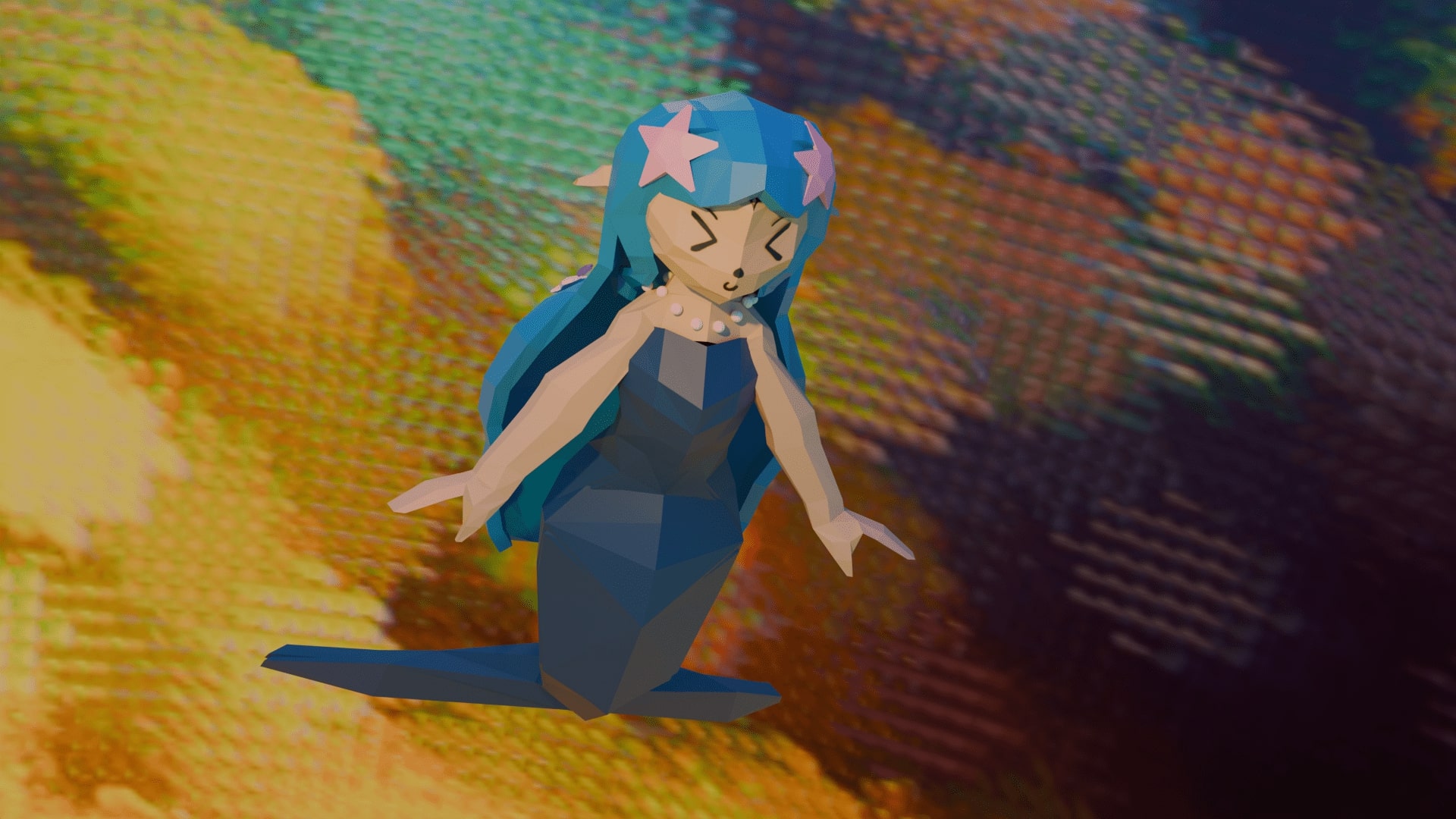
In this playful underwater journey, I brought Mira to life — a sparkling mermaid modeled in Blender with a low-poly, gem-like shimmer. Built in Unreal Engine, Super Mira 64 captures the charm of classic games while swimming in its own dreamy current. It’s a tribute to old-school game charm, but filtered through my own style: dreamy, colorful, and a little emotional. Mira’s world is hand-built with care, from each shimmering fin to the flow of the fish that follow her song.
About the Work
This project began as a love letter to the games that shaped my childhood — their simplicity and their strange beauty. I imagined Mira as the heart of a world where song is more than sound: she uses it as a means to interact with the world. Modeled in Blender and brought to life in Unreal Engine, Mira swims through pastel oceans, guiding shoals of fish that respond to her melody in fluid, intelligent patterns. Each fish is part of a living swarm, creating moments of harmony as they move and shift with her voice.
Story & Mechanics
2025
A musical meermaid adventure under the sea
In Super Mira 64, you play as Mira, a cheerful mermaid with a voice that heals. Confused fish are scattered across the underwater world — and only Mira’s song can bring them together. As she sings, nearby fish begin to follow, forming graceful swarms that twist and glide through coral paths and sunlit ruins.

Each group of fish adds to the melody, creating a growing underwater orchestra that plays as you swim. The fish aren't just visuals — they move with purpose, following Mira using a intelligent swarm behavior algorithm that responds to your position, your tone, and your rhythm. The ocean becomes a stage, and you’re the conductor.
Early Character Development
2024
From magic girl to mermaid
Mira wasn´t originally inteded to be a mermaid, but as a girl in a blue dress, collecting seashells at the beach, longing for the sea. The original idea was to transform her into a meermaid in a magical-girl style: her dress unfurling and rippling down into a sparkling mermaid tail.

This early concept mixed land and sea, human and magical. But as the game evolved, I chose to focus fully on her mermaid form — to let her story take place entirely beneath the waves. Still, her original design shaped the softness and color palette of her final look  (.◡‿◡✿)
From Sketch to 3D
2024
Building Mira from every angle.
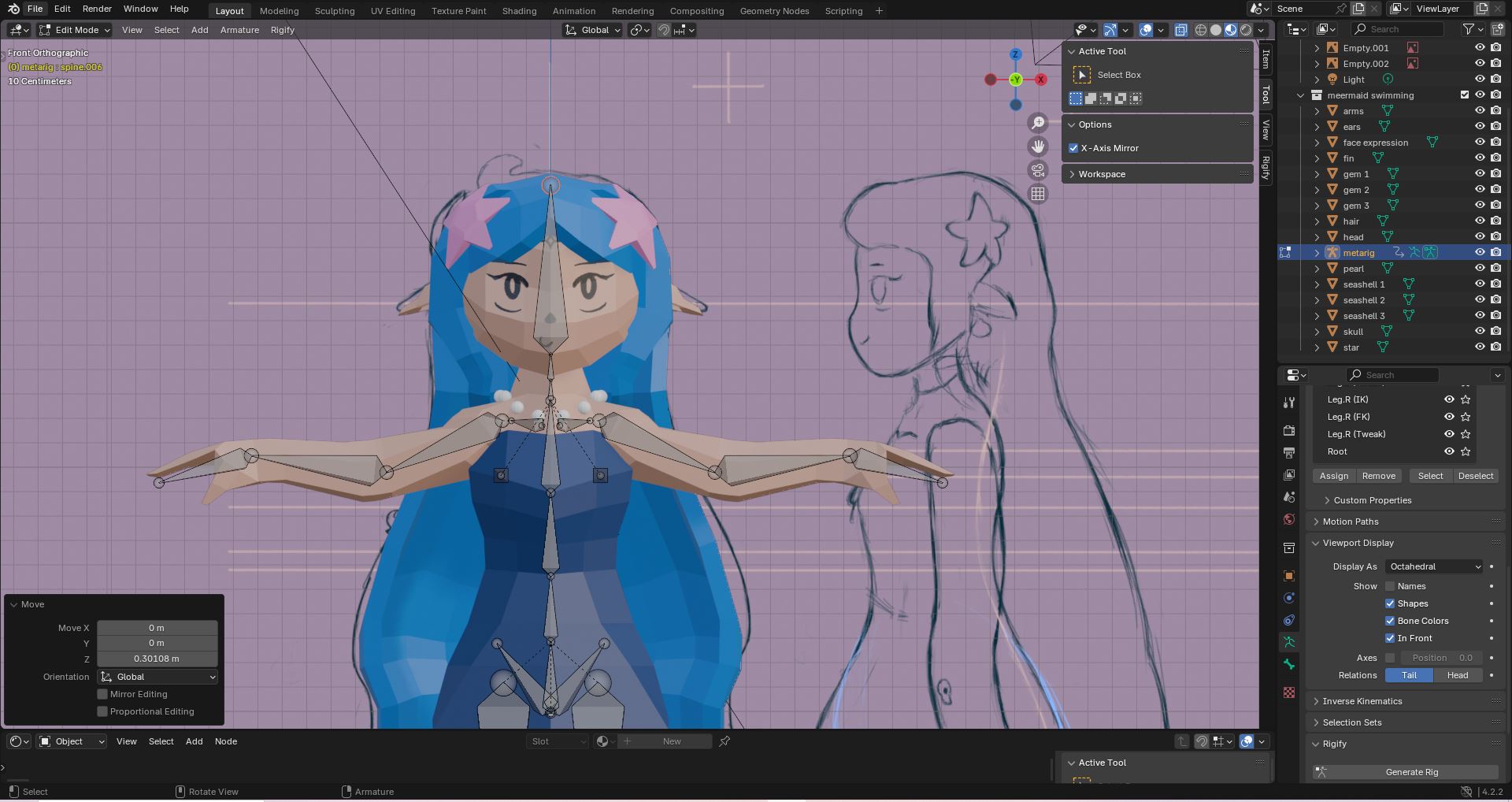
To prepare for modeling, I created detailed front and side views of Mira — defining the proportions, silhouette, and personality of her design. These turnarounds became the blueprint for her low-poly 3D model in Blender.

Modeling in this stylized, faceted way allowed me to create a look that’s simple yet striking — something that feels almost crystalline. Her body is carefully rigged for animation, letting her move smoothly through the water, with each fin and strand of hair following her motion. Every shape was chosen with intention, to keep her readable and expressive from all angles, even in fast movement.
Facial Expressions & Unreal Integration
2024
Expressive and responsive — in motion and emotion
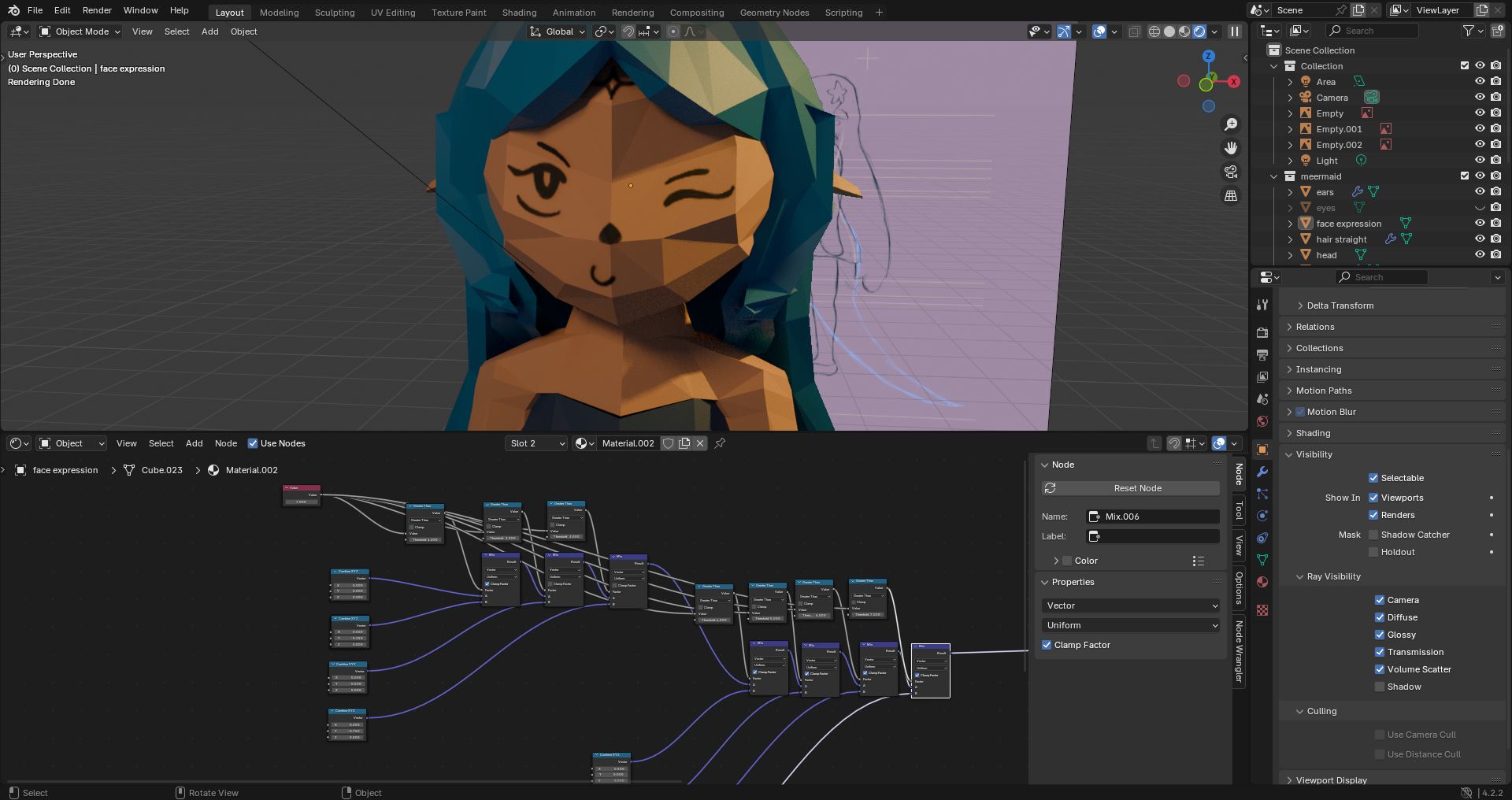
To bring Mira to life emotionally, I created a node-based system using a shifting texture map to give her different facial expressions. These stylized, cartoon-like faces can be switched dynamically — from joy to surprise to curiosity — letting Mira react to the world around her in real time.

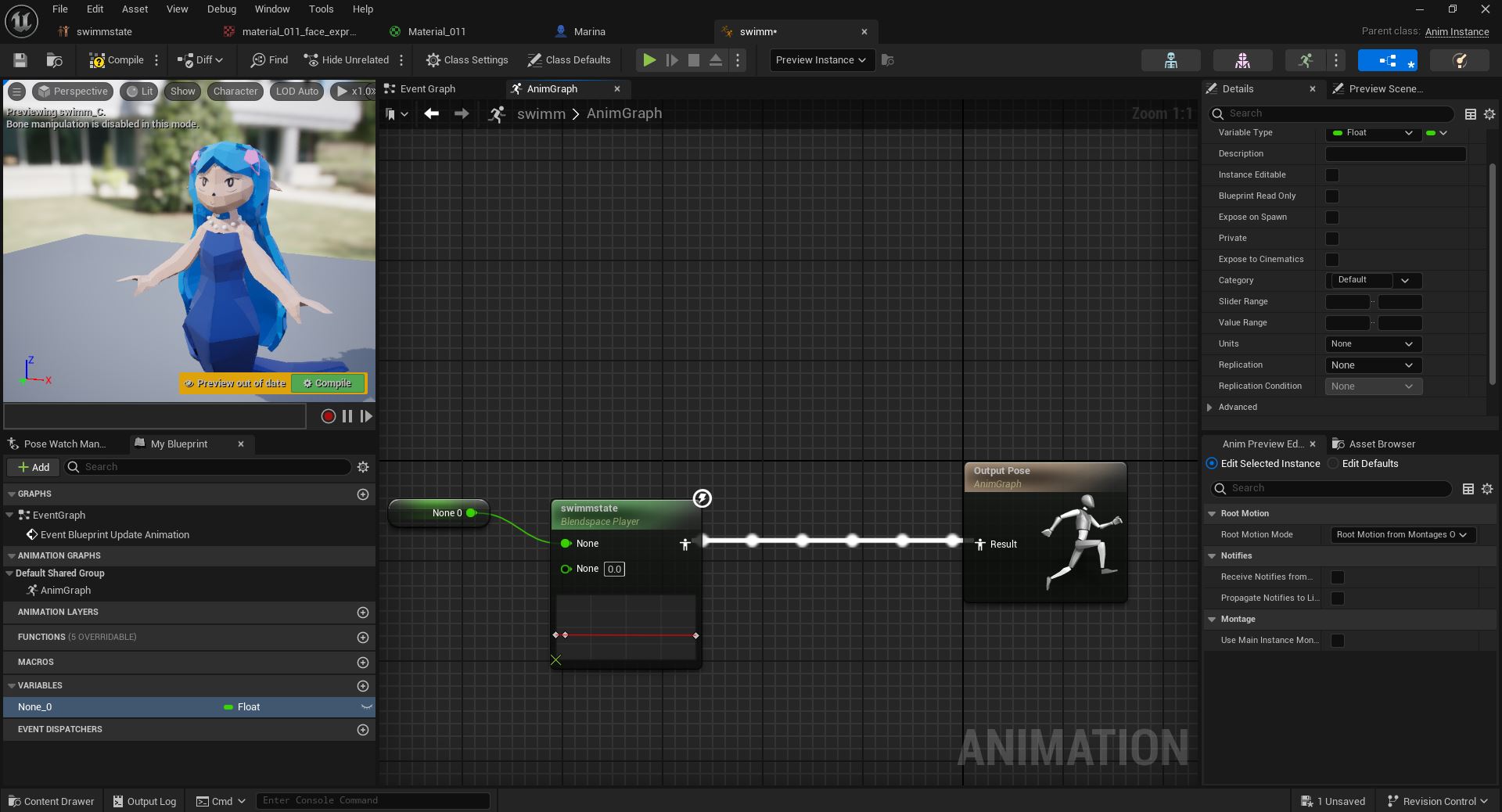
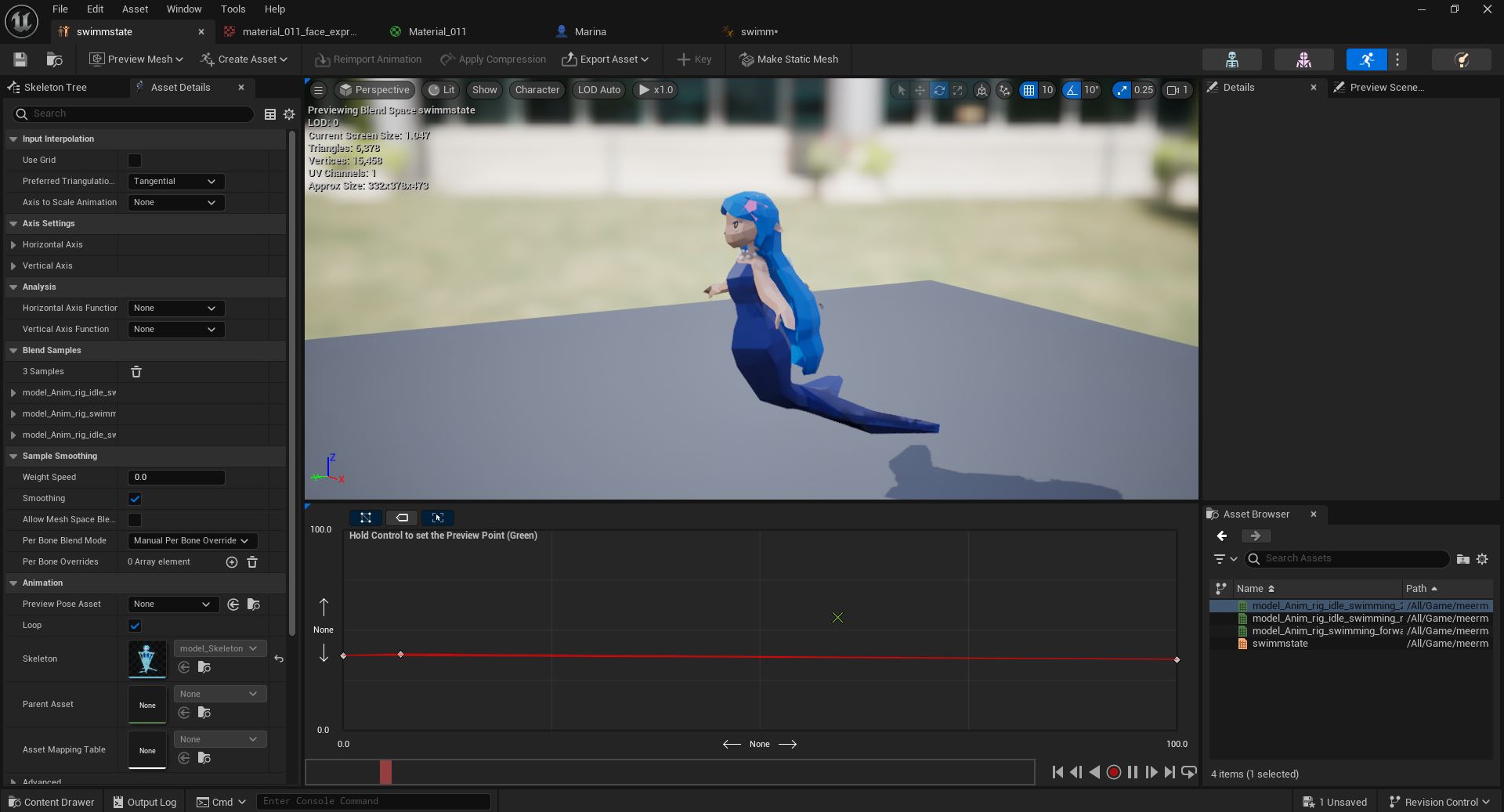
Once imported into Unreal Engine, I built transition systems between fast and slow swimming animations, creating a natural flow to her movement. Whether she’s gently gliding or darting forward, the animation responds fluidly.

Part 2
Graphics, Controls,
simple Fish NPC AI

3D Modelling, Game Engine, Illustration
Building the World
In this update of Super Mira 64, I focused on atmosphere and interaction. The world now feels more alive — with a refined camera system, soft post-processing effects, and the first implementation of a simple fish AI.
Mira moves through shimmering water under smoother control, supported by both keyboard and Xbox controller input. Everything runs in the standalone build; in-editor, a quick click into the window is needed to activate input.
The mermaid model — originally created in Blender during an earlier semester — remains unchanged, but the world around her has started to glow. Aside from a free sand texture by Fab, every visual and technical element was crafted by hand. This version is less about content, more about feel: how it looks, how it moves, and how it begins to breathe.
Visual Direction
2025
Creating the pixel charm
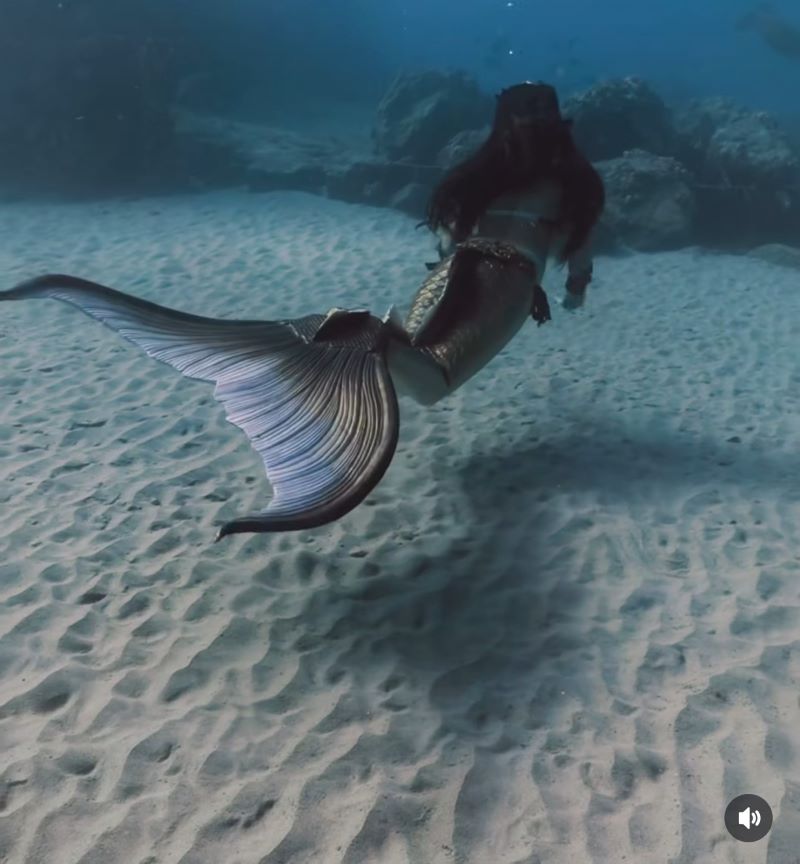
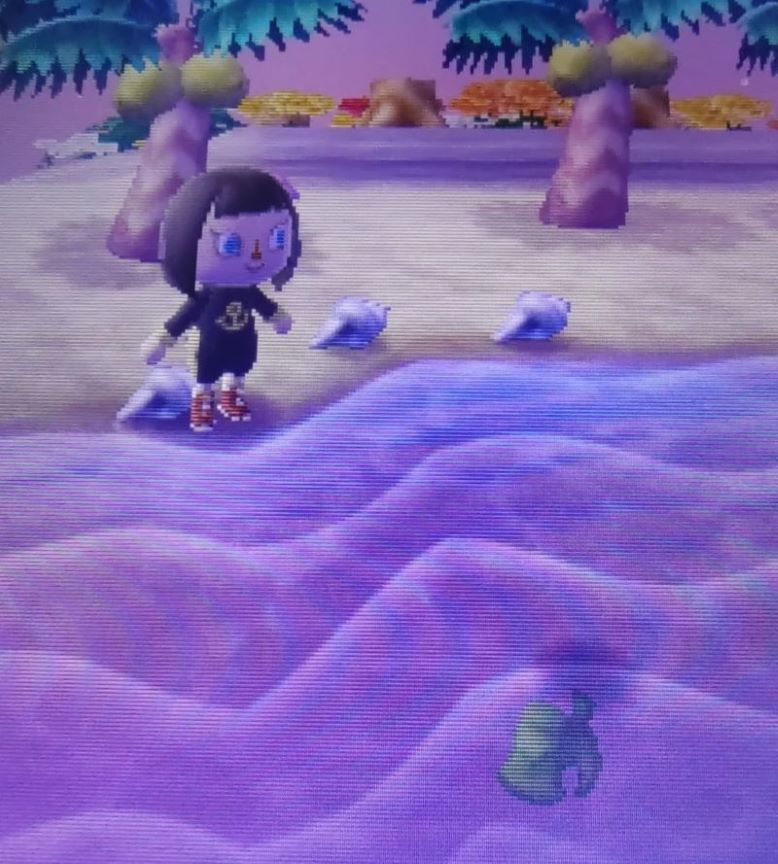
The look of Super Mira 64 draws from inspirational sources — both used strictly as visual references:

The first is a photograph: a mermaid drifting through water, lit by warm, shallow sunlight that fades into deep, mystical blue.

The second is a screenshot from an older Animal Crossing game, with saturated colors, soft edges, and a nostalgic CRT-style pixel blur.Together, these images shaped the tone of Mira’s world — somewhere between dreamy realism and retro playfulness. A place that feels both remembered and imagined.

(both images are not owned by me, those are reference images!!)
Camera & Depth of Field
2025
Blurry edges, sharp focus — like light in water
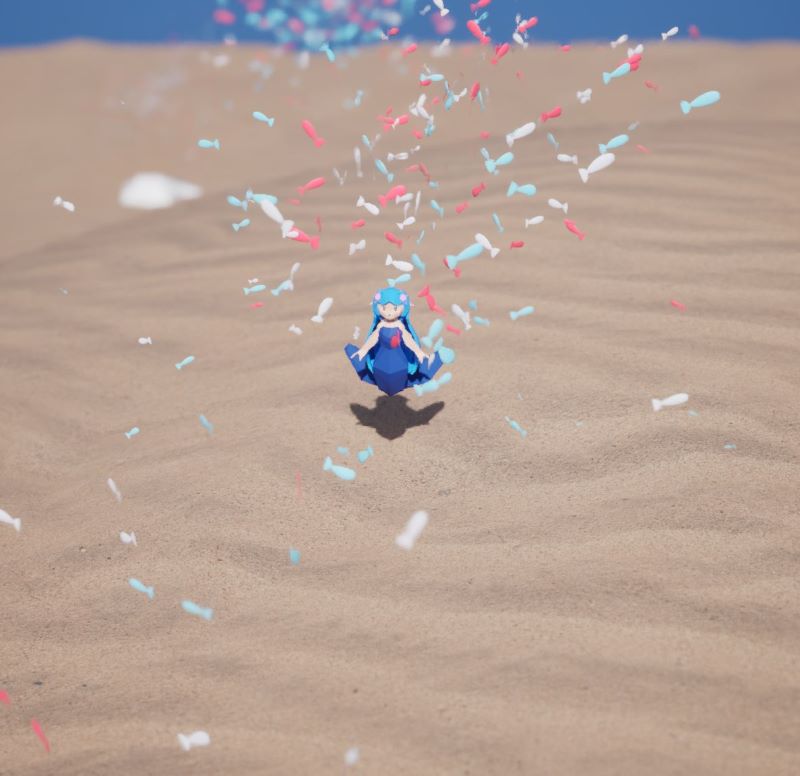
The camera in Super Mira 64 floats above Mira in a fixed top-down view. But while the angle stays steady, the image feels anything but static.

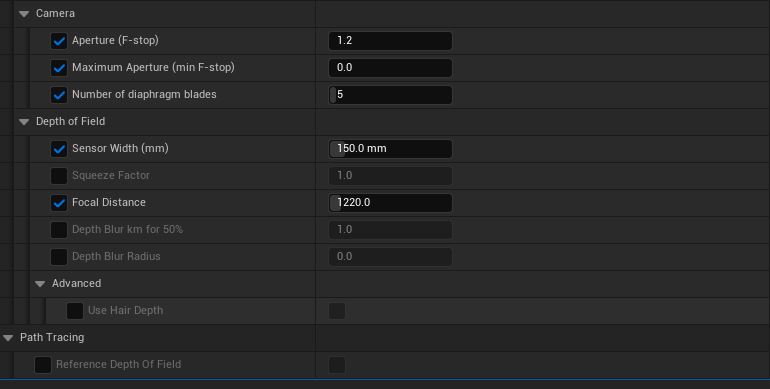
A carefully tuned depth of field brings the scene to life: only Mira and her immediate surroundings remain in sharp focus. Anything too close or too far gently dissolves into blur — just like light behaves underwater. This effect is controlled through settings like Sensor Width, Focal Distance, and Aperture, creating a visual softness that makes the scene feel deeper, more dreamlike.
Post Processing & Visual Effects
2025
Looking through an old TV

Old TVs naturally had a low resolution — but we never really saw the individual pixels. Instead, the CRT effect created a soft blur that blended everything together into something warm, glowing, and strangely pleasing. That’s the feeling I wanted to recreate.
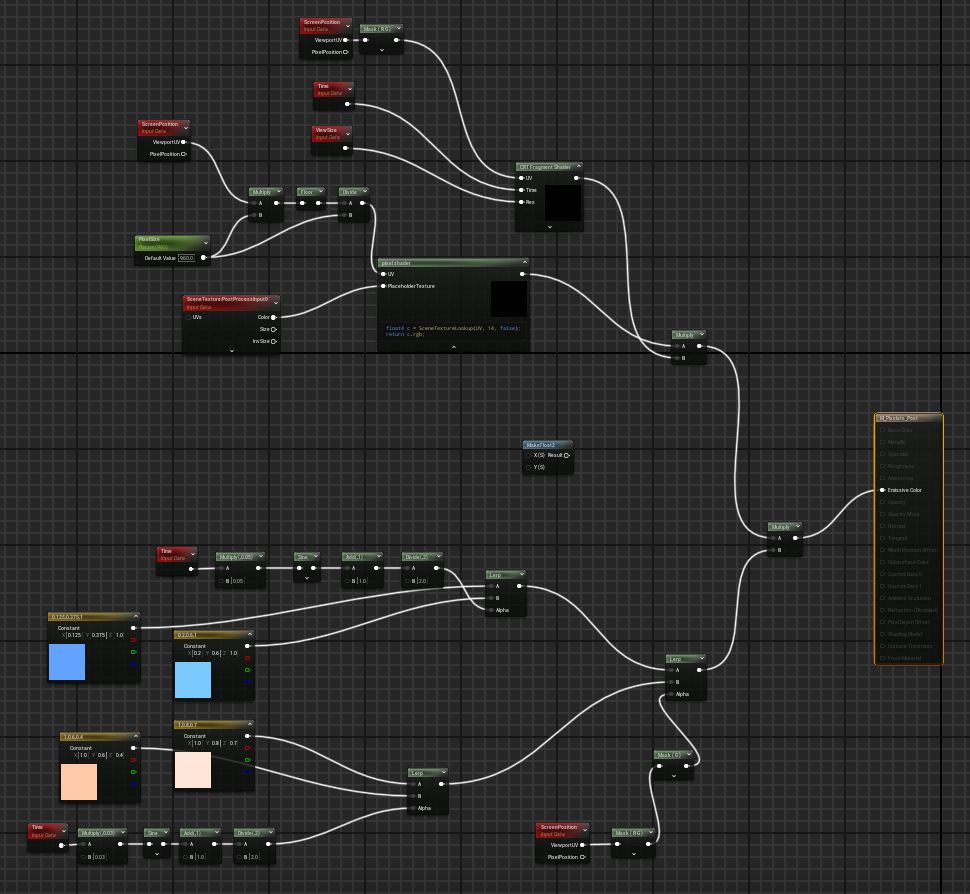
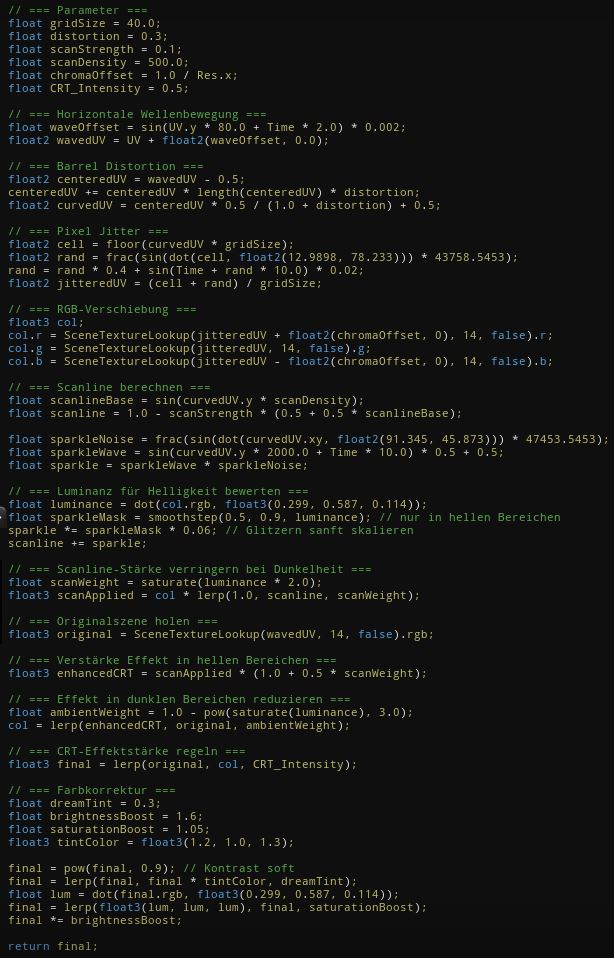
The scene in Super Mira 64 is filtered through a custom post process setup that shapes its surreal, nostalgic mood.

A global Post Process Volume controls overall color and lighting behavior. Shadows shift toward blue, highlights bloom in violet-red, and the image becomes saturated with dreamlike intensity. On top of that, a hand-built Post Process Material adds two layered effects:

1. Color Gradients & Light Refraction
Warm tones ripple across the lower screen, cool ones across the top. Two asynchronous sine waves animate their movement — mimicking the restless shimmer of water. The result is a soft, flickering chaos that makes the scene feel alive, as if viewed through a dancing surface.

2. Pixel Shader & CRT Distortion
Nostalgia isn’t just in the colors — it’s in the texture of the image itself. A custom Pixel Shader reduces resolution visually, while a recreated CRT Fragment Shader adds subtle scanlines, RGB offsets, and a faint screen curve. It gently distorts the world, as if seen through memory or an old screen pulled from the deep.
The CRT shader in Super Mira 64 blends layered effects to create an image that feels unstable, glowing, and quietly alive. A horizontal wave animation introduces a soft flicker across the screen. Barrel distortion curves the image outward, echoing the rounded glass of old TV displays. Pixel jitter makes the resolution waver ever so slightly — just enough to feel imperfect in a pleasing way.

RGB shifting and gentle scanlines deepen the retro atmosphere, while a glitter texture, tied to luminance, adds a magical shimmer to the brightest parts of the scene. All of these effects respond to light: in darker areas, they fade, keeping the image breathable and soft.

The final touch is color grading — a subtle tint of pink, boosted brightness, and saturated tones that feel like a dream just barely remembered.

And if you’re wondering about odd-looking nodes like SceneTexture:PostProcessInput0 — they’re not just placeholders. It’s a workaround that lets variables slip into the
Custom Node, bypassing usual limits. A small trick, but one that makes the code possible.
Fish NPC AI – Swarm Simulation with Niagara
2025
A living rhythm
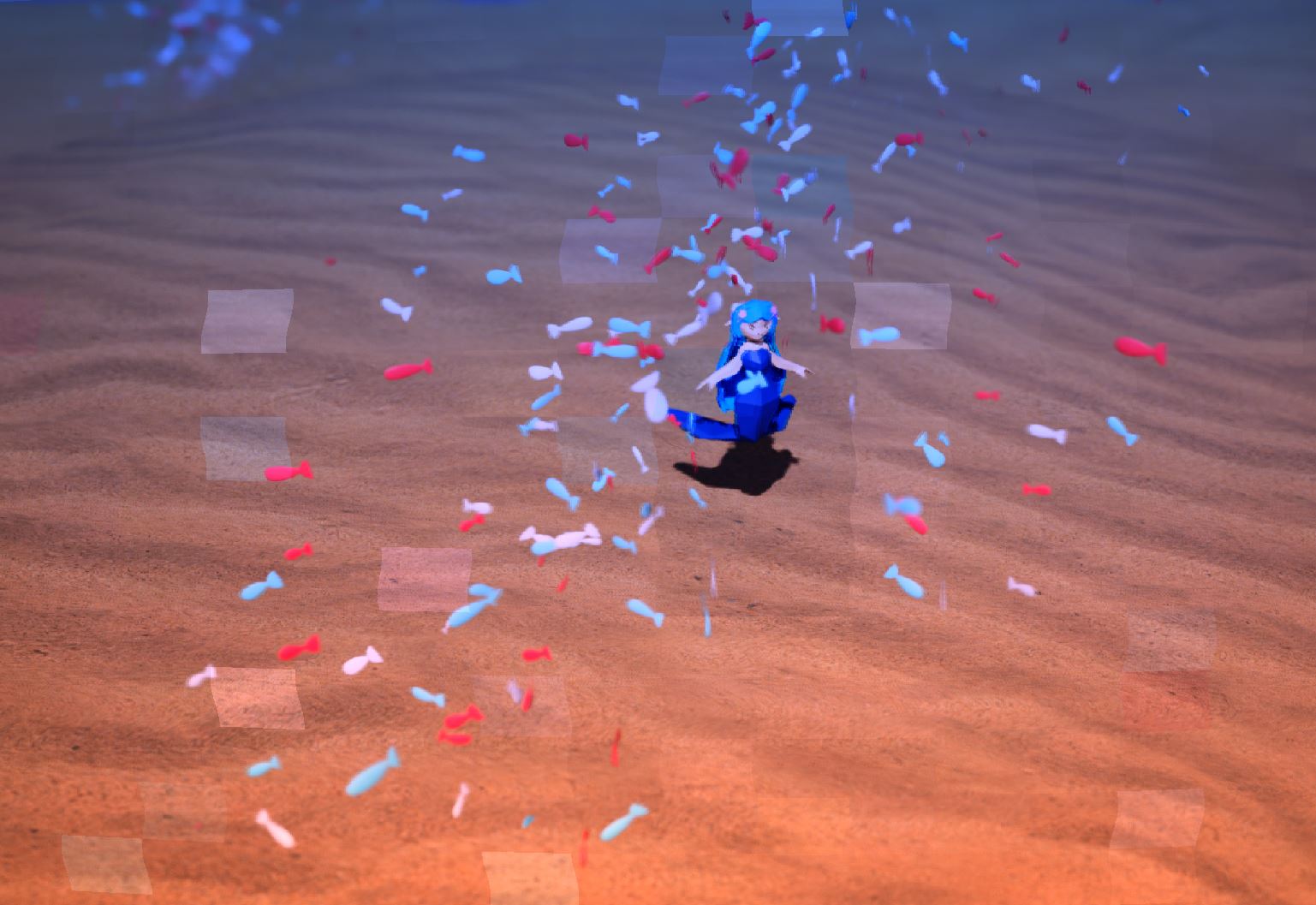
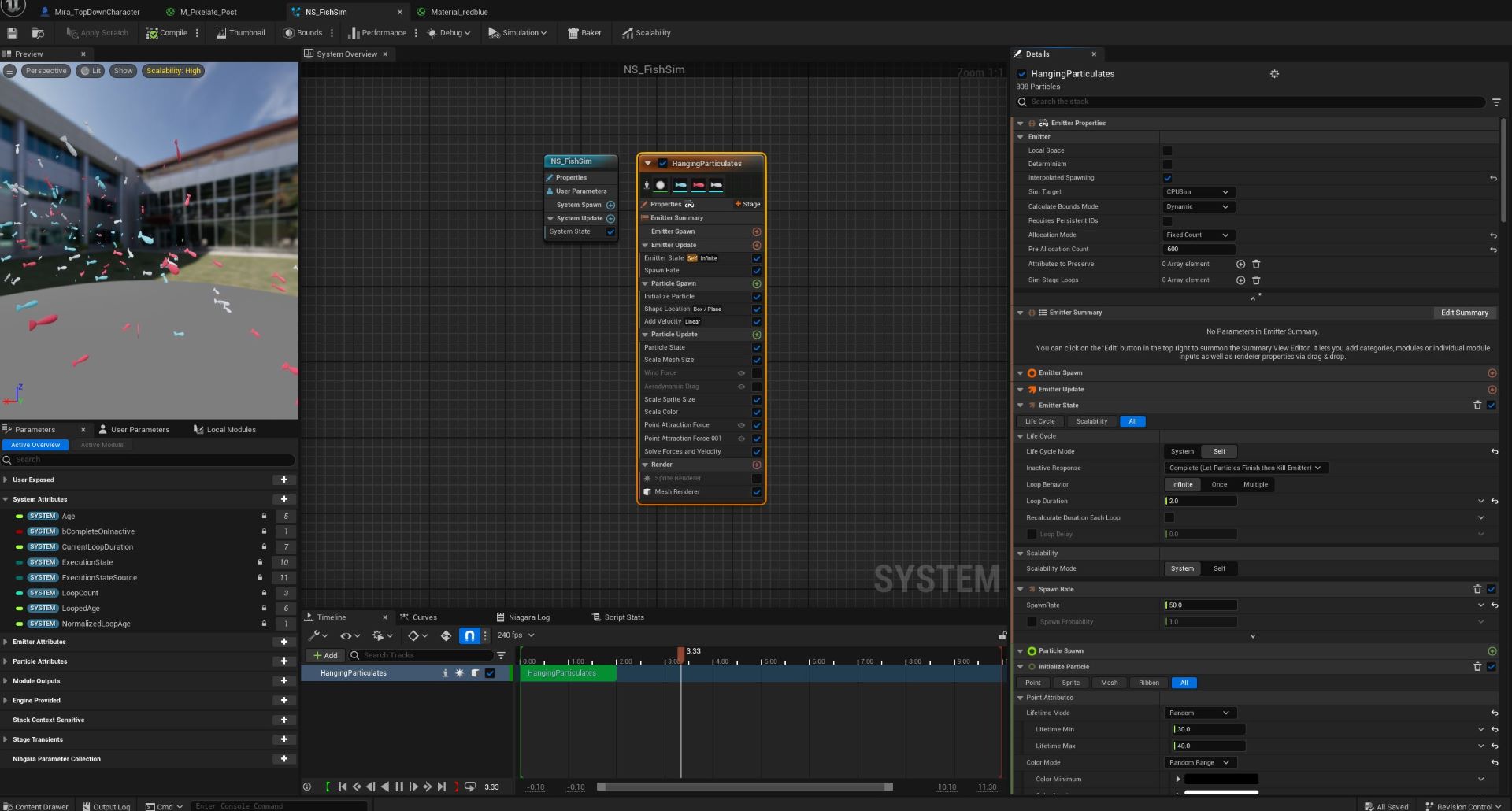
The core technical focus of Super Mira 64 lies in the fish AI — a living swarm system built using Unreal’s Niagara framework. Instead of relying on classic boids logic, I chose Niagara for its efficiency and flexibility, especially in handling large amounts of visual behavior under tight performance constraints.

The fish themselves were modeled in Blender and exported in three color variants, each spawning randomly in equal measure. A clear forward vector was defined and corrected on import, ensuring the fish swim forward naturally instead of drifting sideways or in reverse.

To break the mechanical feel of particles, I added a ripple effect to the fish material — bound to world position, it creates the illusion of swimming motion, even when the fish themselves are only moving subtly.

Two Point Attraction Forces in Niagara keep the fish in gentle motion between invisible anchors. Even when Mira stands still, the swarm shifts and breathes. To maintain this illusion, the particle system is tightly optimized: extended lifespans, a capped spawn rate, and a Fixed Count allocation mode under “Hanging Particulates,” with a maximum of 600. This ensures the school feels continuous — not like a stream of constantly reappearing particles.

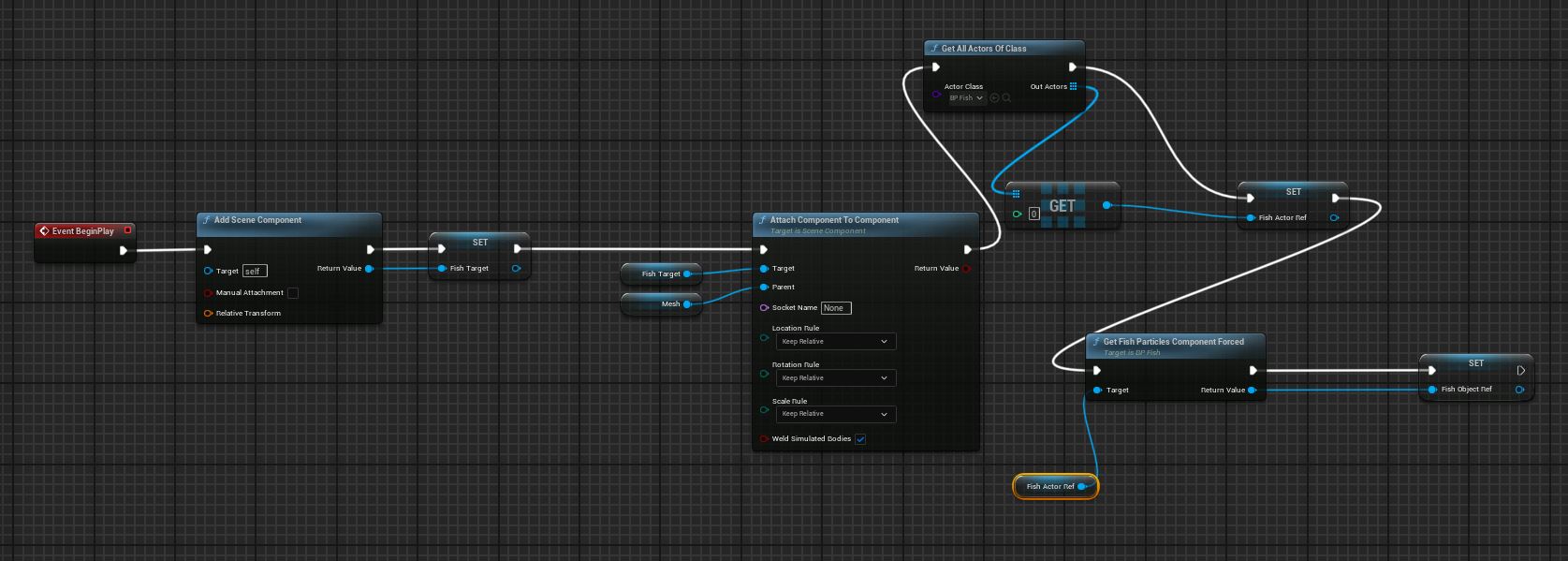
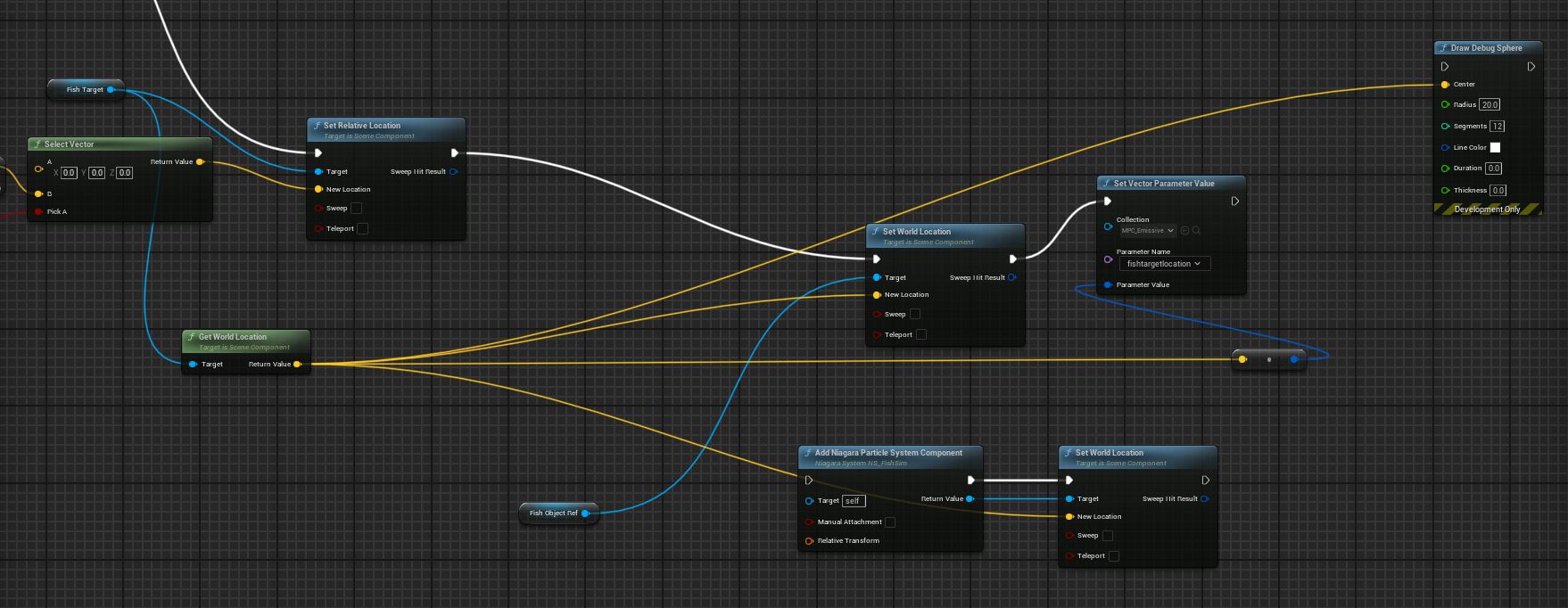
Two versions of the system exist: one follows Mira directly, linked via Blueprint to the Fish Target, while the other swims freely in the world — useful for ambient life that is placed independently of the player.
Control System & Blueprint Logic
2025
Smooth in every direction
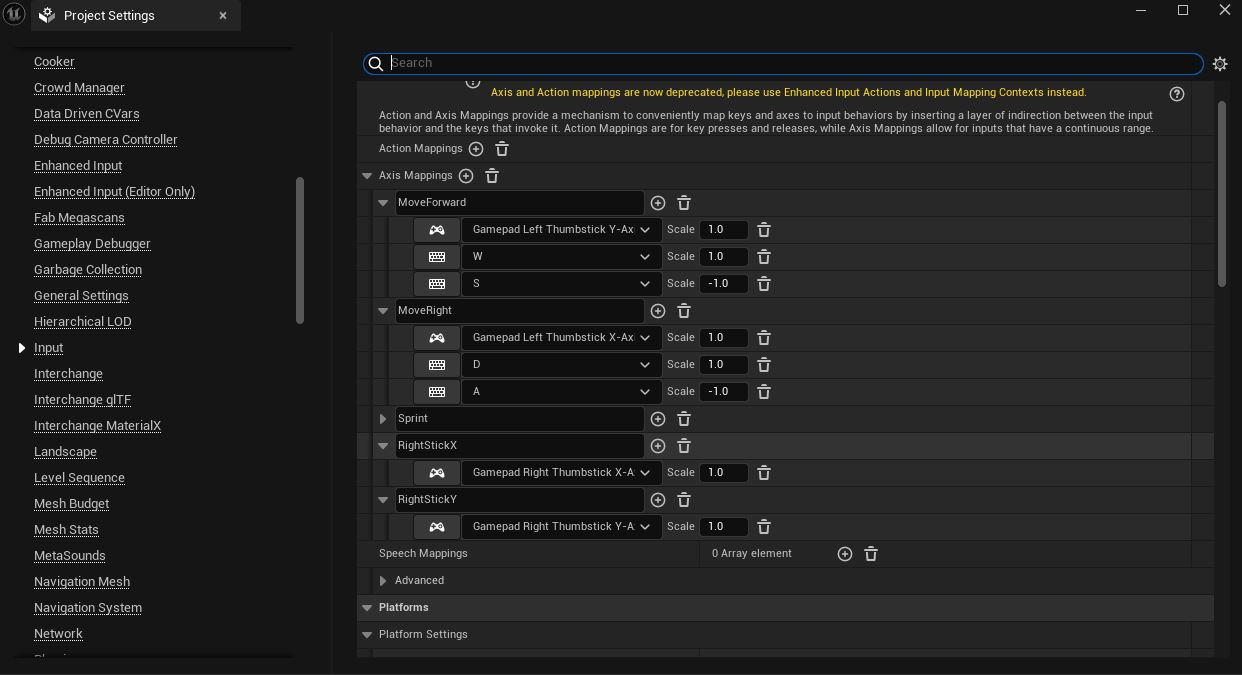
Mira responds equally well to keyboard or controller — both are fully supported through custom input mappings in the Project Settings.

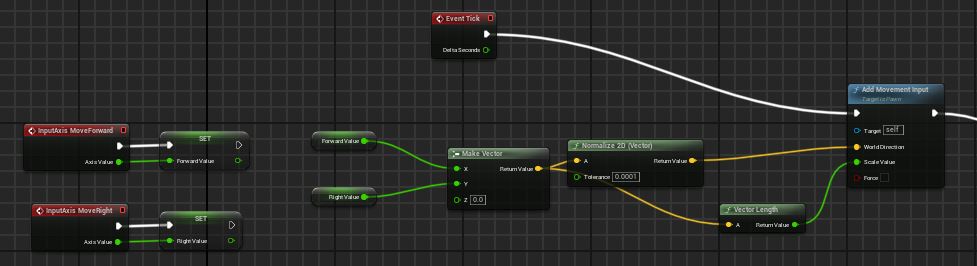
Inputs from stick or keys are stored in variables, combined into direction vectors, and normalized. This ensures consistent movement speed, even when moving diagonally — no sudden bursts, no unintentional speed boosts. For the controller, Vector Length is used to capture stick intensity, allowing for subtle analog control: Mira moves with speed that reflects your actual input.
Fish Control & Interaction
2025
Following Mira and responding to her gesture
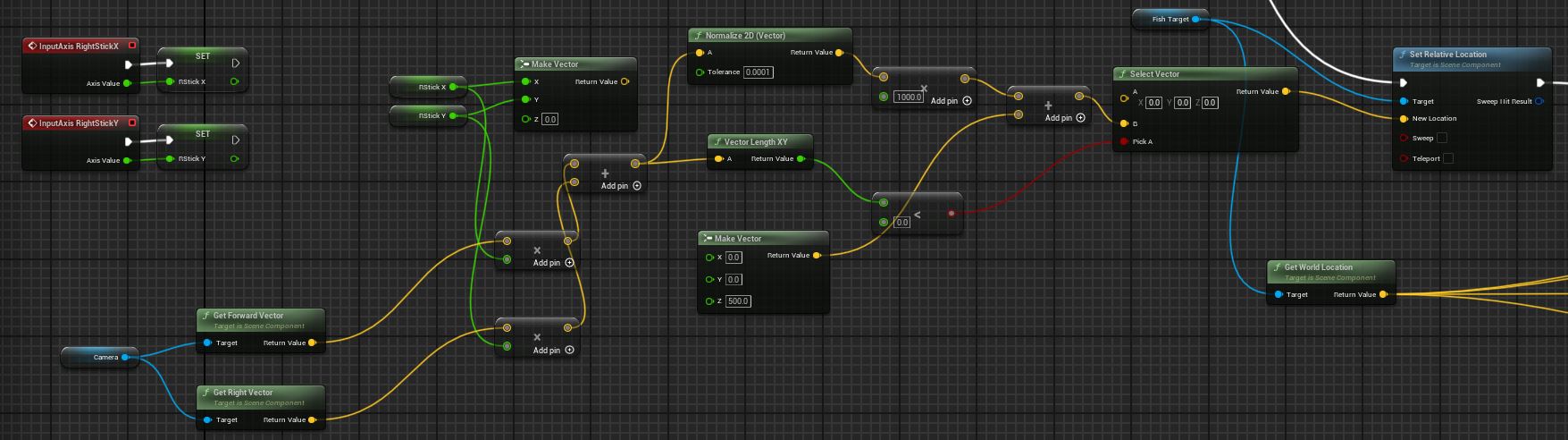
The fish don’t follow Mira directly. Instead, they move toward a hidden Fish Target — an invisible point that orbits around her. This target is controlled via the right stick, with its direction corrected based on the current camera angle. The system isn’t perfect yet, but it’s stable enough to create the illusion that Mira is guiding the swarm with her presence — almost like conducting.

Interaction emerges from this system naturally. A glowing giant clam at the center of the demo responds to the swarm — or more precisely, to the Fish Target. If the target comes close, the clam begins to glow.

This is handled through a Blueprint that passes shared parameters via MPC_Emissive, including the target’s location and glow intensity. These values are updated in real time, allowing the clam to react dynamically to Mira’s movement and the presence of her swarm.

For development and testing, a simple Draw Debug Sphere can be added to Mira’s character Blueprint — revealing the Fish Target’s position and helping fine-tune the system’s responsiveness
A playable tech demo is now available for PC, with full support for keyboard and controller. It’s not the final version, — but the foundation is there.
Next up: gameplay. (˶ᵔ ᵕ ᵔ˶)
Available on PC
Download the "Windows" file, unzipp it and run "super_mira.exe". Best played using a controller, but keyboard works too. (˘͈ᵕ ˘͈ ❀)

✧ All works presented on this site are part of my personal and academic portfolio, created with care and intention.  Please do not reproduce, copy, or use them without permission. Select projects may include team collaborations (e.g. *Squished Love*) or reference material clearly noted in context (e.g. *Color Me Curious*).  Thank you for respecting the creative process ✧